- Order by phone: 0800 033 8006
- Blog
- Coverage checker
- Store locator

- Three Community
- Broadband
- Intermittent connection issues loading/changing si...
- Subscribe to RSS Feed
- Mark Topic as New
- Mark Topic as Read
- Float this Topic for Current User
- Bookmark
- Subscribe
- Mute
- Printer Friendly Page
Intermittent connection issues loading/changing site- secure connection failed/site can't be reached

- Mark as New
- Bookmark
- Subscribe
- Mute
- Subscribe to RSS Feed
- Highlight
- Report Inappropriate Content
on 22-10-2023 03:21 PM
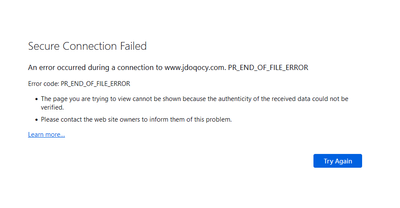
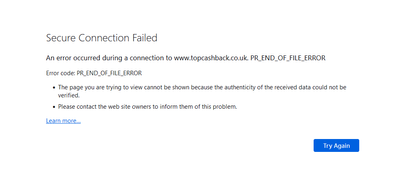
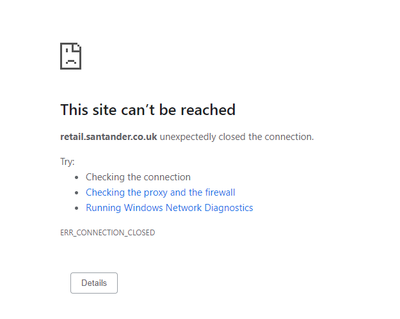
Is anyone else occasionally getting a 'connection down' error from Chrome (or 'Secure Connection Failed' from Firefox) when changing page - if I hit refresh it works fine. At first I wondered if it was the site I was using but have noticed it on multiple different major websites over the past couple of months and not noticed it from other locations where I don't use Three Broadband so does seem to be related to the router/connection (this is via wired Ethernet too, so not a WiFi problem). I've tried changing DNS server in case that helps but no difference.
It mainly seems to happen when trying to first load a site or (annoyingly) at checkout when a different site is being loaded as part of the checkout process. It certainly doesn't happen everytime but does happen with reasonable frequency. I've also noticed I often get it when trying to pull/push from/to Github too and have to do so a number of times for it to work (browsing the Github website works fine).
- Labels:
-
Home Broadband

- Mark as New
- Bookmark
- Subscribe
- Mute
- Subscribe to RSS Feed
- Highlight
- Report Inappropriate Content
on 09-02-2026 11:31 PM
Spotted something interesting today. This problem doesn't happen for me if I'm maxing out my download at the time.
I have a share save scheme app on my phone that pretty much always fails when I'm on wifi and the curl test bat file fails 50% of the time against https://hotukdeals.digidip.net on my PC
However when I'm downloading something the script runs slowly yes and app takes longer to open but it works, no errors. So anyone with more network tech knowledge know why that would be?
Something about leaving connections open because its doing a download?

- Mark as New
- Bookmark
- Subscribe
- Mute
- Subscribe to RSS Feed
- Highlight
- Report Inappropriate Content
on 02-02-2026 11:07 PM
Update: Nothing! No changes whatsoever!
I do not think that there were any great expectations however a late unofficial update is more than what we have received in what? Year Three? 🙄
Even if Three were the cheapest option, none in my circles will renew or join them ever again.
- Mark as New
- Bookmark
- Subscribe
- Mute
- Subscribe to RSS Feed
- Highlight
- Report Inappropriate Content
on 05-02-2026 02:52 PM
I want to get out of the sim only contract now, what is the best way to get out of it due to these issues?
- Mark as New
- Bookmark
- Subscribe
- Mute
- Subscribe to RSS Feed
- Highlight
- Report Inappropriate Content
on 05-02-2026 03:00 PM
Have you filed a formal complaint? If not I would definitely do so and as this is a known issue you should be able to get out penalty-free - personally I'd also ask for compensation!
- Mark as New
- Bookmark
- Subscribe
- Mute
- Subscribe to RSS Feed
- Highlight
- Report Inappropriate Content
on 10-12-2025 10:25 PM
It has been a very busy rush to the end of the year...
All we want for the holiday is a very fast and reliable connection without needing to use Cloudflare's WARP, various VPNs and 4G downgrading...
Now for something completely different:
Does your team genuinely need assistance to fix this evasive issue? I'm sure that despite all of the comments in this thread, there are a few of us that would actually be willing to help out if we were brought onboard to do so.
Also, just to let you know, the PR_END_OF_FILE issue does still exist - I triggered it just now after starting a simple bookmarked sites test and only got as far as 13 sites which was Battle.net today.
Enjoy what you can of the holidays and hopefully we won't still be discussing this next year!!
- Mark as New
- Bookmark
- Subscribe
- Mute
- Subscribe to RSS Feed
- Highlight
- Report Inappropriate Content
on 12-12-2025 11:58 AM
Is it worth everyone raising a complaint to three about this issue? Following their procedure and eventual escalation to ofcom?

- Mark as New
- Bookmark
- Subscribe
- Mute
- Subscribe to RSS Feed
- Highlight
- Report Inappropriate Content
on 16-12-2025 01:57 PM
Last time I checked they body responsible for complaints cant do anything about it https://www.commsombudsman.org/raise-dispute/three-broadband-formally-relish I'm not sure if ADR is the only way to proceed though https://www.ofcom.org.uk/phones-and-broadband/service-quality/adr-schemes
- Mark as New
- Bookmark
- Subscribe
- Mute
- Subscribe to RSS Feed
- Highlight
- Report Inappropriate Content
on 16-12-2025 01:26 PM
This would be a good idea for those still with Three however there are a lot of us that have switched to other networks...
The MVNOs that use Three's network will have more people suffering from the same issues so it might be ideal to ask on their respective forums to get more people involved.

- Mark as New
- Bookmark
- Subscribe
- Mute
- Subscribe to RSS Feed
- Highlight
- Report Inappropriate Content
on 04-11-2025 04:47 PM
I am not sure if this is going to help anybody, but I managed to find a temporary workaround, until I wait for an acceptable answer from three, which is currently performing an investigation.
I have a Zyxel NR5103E and, at the cost of my network speed (4 times slower), I have ZERO SSL/TLS issues when forcing the 4G network instead of the 5G.
You can find those settings under Menu > Network Setting > Broadband > Cellular Band > Preferred Access Technology > 4G > Apply
You should observe the improvement within just few seconds.
Good luck!


